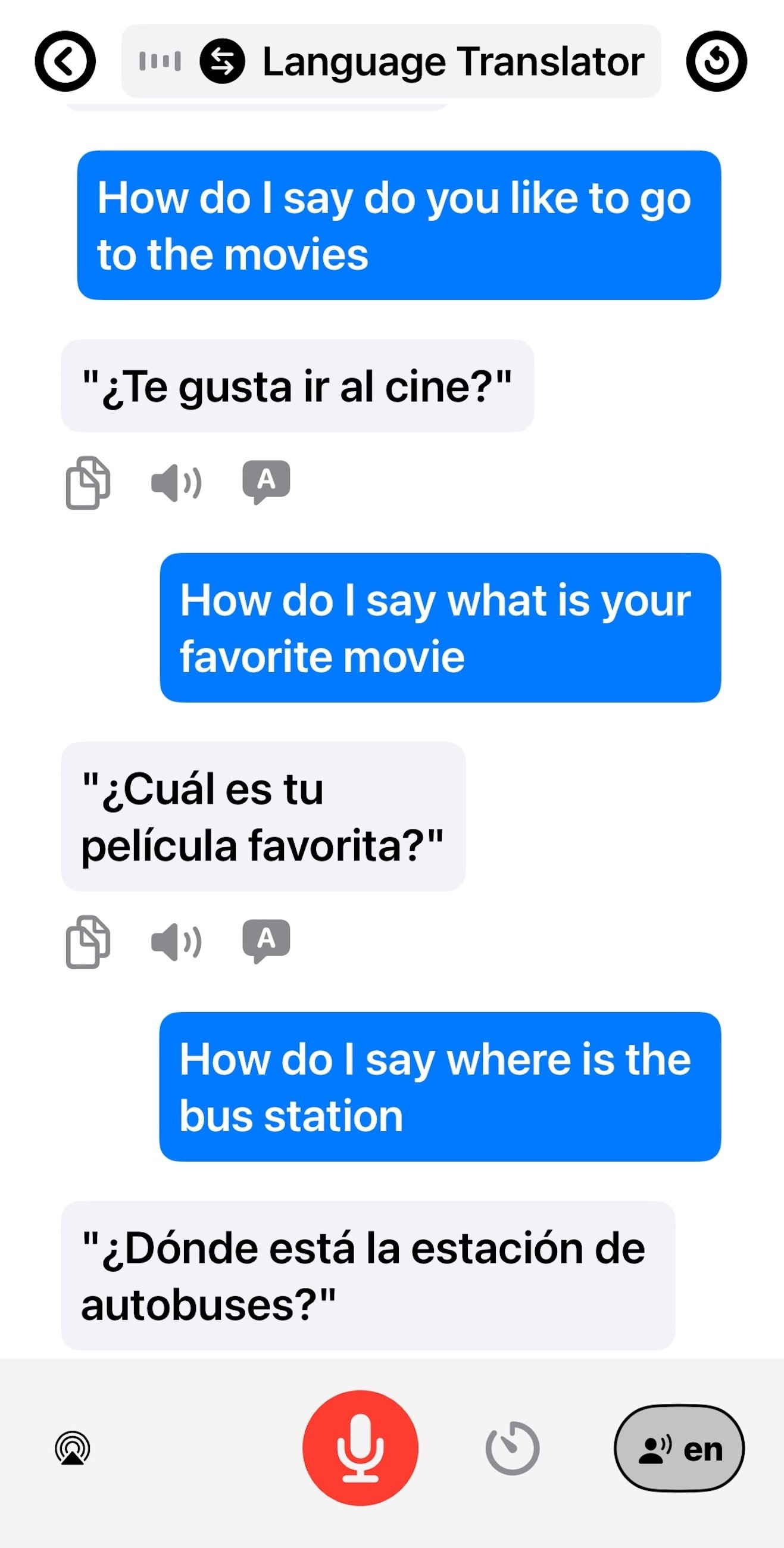
Conversationally translate your speech into 7 languages
No need for an internet connection! Totally private translations!
Choose Your Language Adventure: Supports Spanish, French, German, Italian, Portuguese, Hindi, and Thai (with English).
Customize Your AI Partner: Select a formal teacher or a casual conversation buddy to match your style.
Unmatched Privacy - Completely Offline: Your conversations stay on your device. No data sharing for core AI features.
Rich Content For All iOS Users: Access all Quizzes, Guides, Books, and Podcasts on any compatible iOS device.
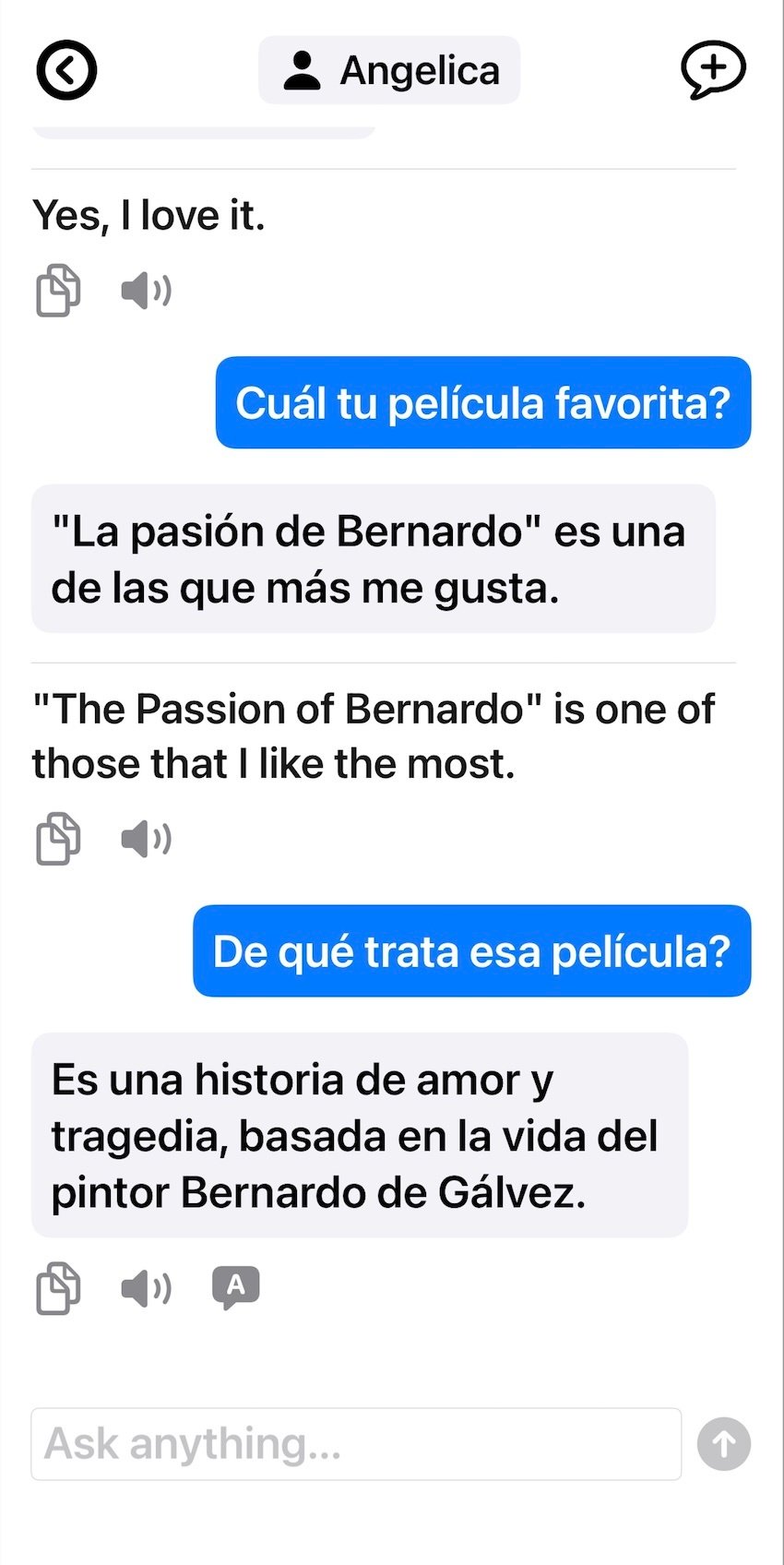
Chat with 10 different personas
Learn to actually speak the language by chatting to an AI!
TouchLanguage goes beyond memorization—it creates an immersive environment where you actually use your new language. With our expanded quiz library, multiple AI personas, and comprehensive tools, you'll build practical skills faster than ever before.
Explore language with different personas:
- Angelica in Mexico City: Discuss history and classic films with this knowledgeable teacher.
- Martin from Paris: Delve into the world of contemporary art with an insightful gallery curator.
- Lena in Berlin: Chat about the latest in AI or share hiking adventures with this software architect.
- Giovanni from Rome: Talk food, recipes, and the passion for local ingredients with a charming Italian chef.
- Sofia in Lisbon: Discuss marine life and the critical issues of ocean conservation with a dedicated marine biologist.
- Rohan from Mumbai: Immerse yourself in Hindi film, Bollywood, and music with a talented musician and DJ.
- Malee in Bangkok: Discover the best local dishes and chat about life in the city with a friendly food vendor.
- And many more! From David, the travel blogger exploring US national parks, to Dr. Chen, a doctor in Singapore passionate about public health, and Isabelle, a fashion designer in Milan – there's always someone new and interesting to talk to.
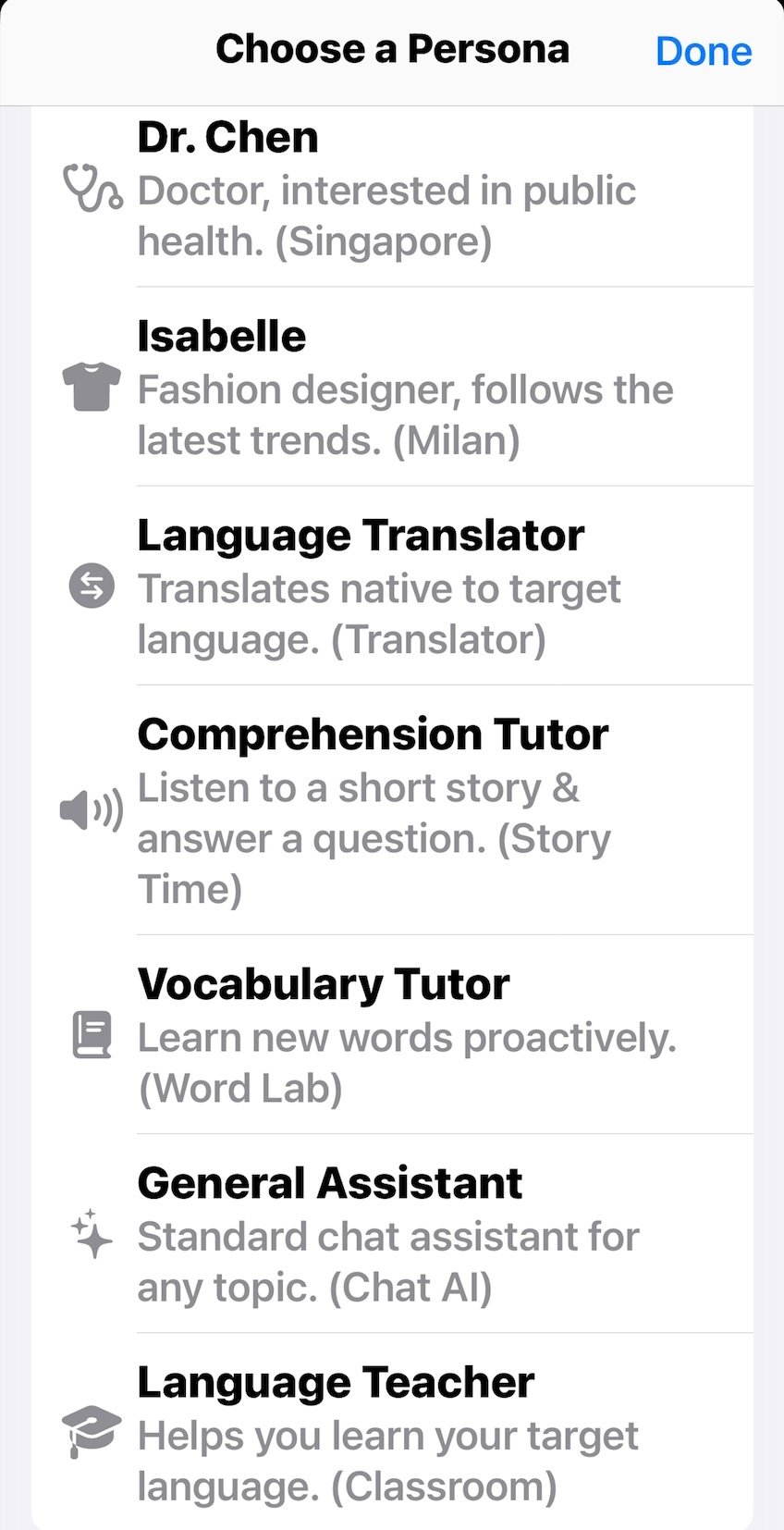
Engage a wide range of AI Assistants to explore the language you need to learn
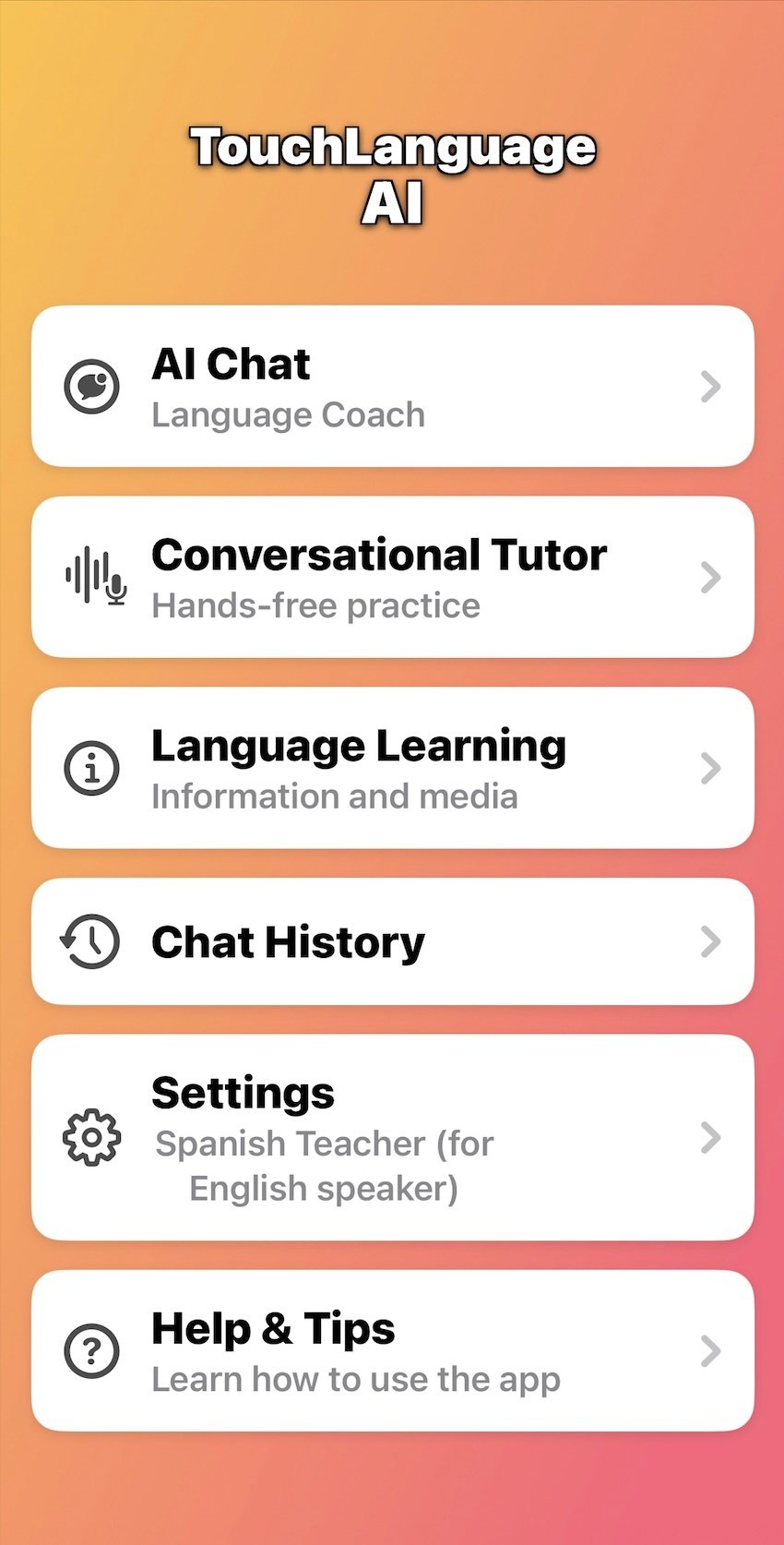
Language Translator, 10 AI personas, Comprehension Tutor, Vocabulary Tutor, Language Teacher, and a General AI Assistant!
Language Translator: Get translations anywhere without internet via voice or text.
Dedicated AI Language Teacher: Get structured lessons and personalized guidance on your learning path.
Smart Vocabulary Tutor: Focus your practice on specific words and phrases to build your lexicon efficiently.
Comprehension Tutor: Practice your understanding with the a short story in the language your are learning.
General AI Assistant: You can always engage in the Llama 3 LLM for any AI query offline.
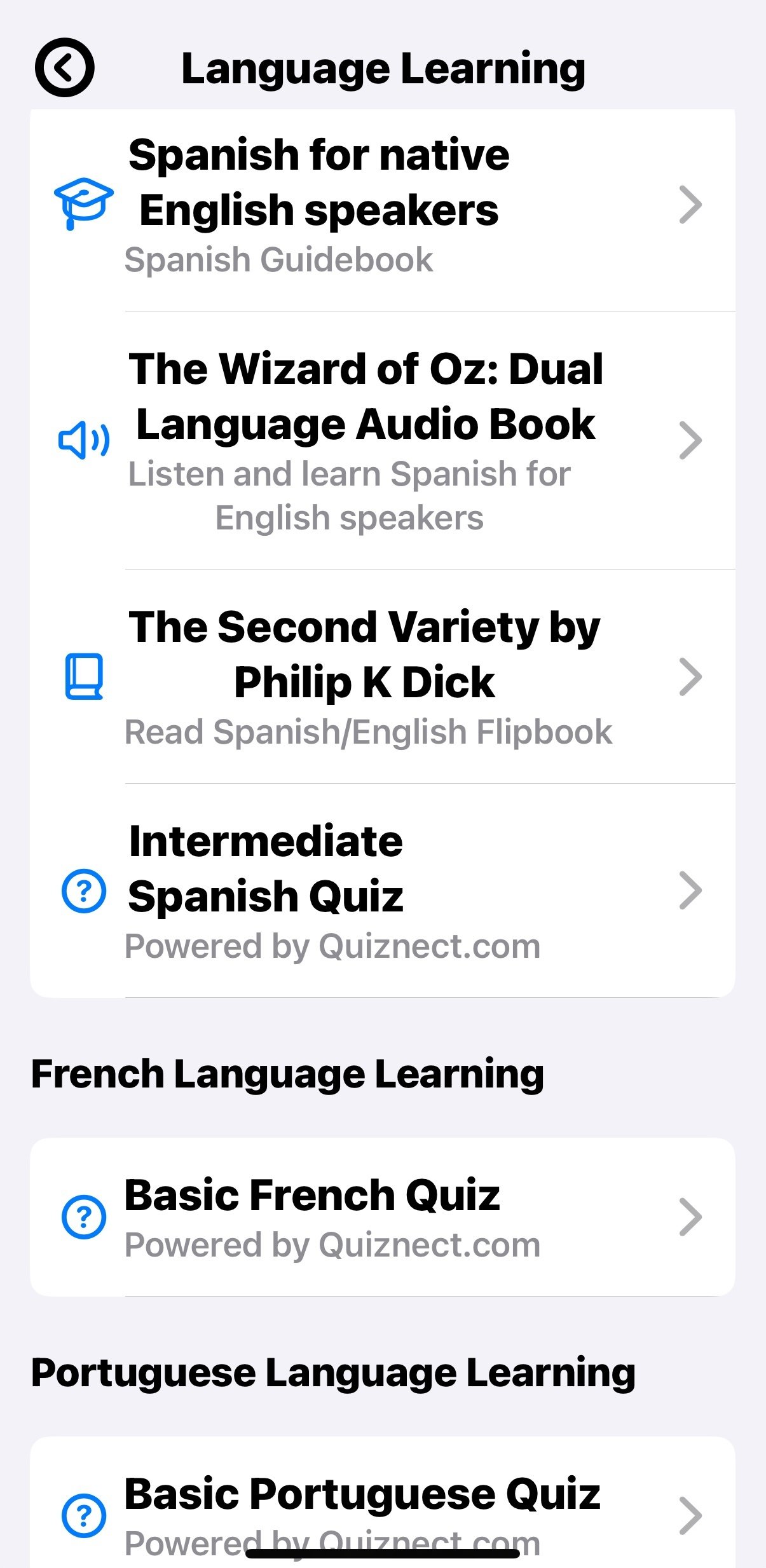
Unlock More Ways to Learn: Explore a Library of Language Resources!
Your language learning journey doesn't stop with conversation! Dive into our ever-expanding library of engaging resources, thoughtfully designed to complement your AI chat practice and accelerate your path to fluency. Discover new vocabulary, sharpen your comprehension, and test your knowledge with tools tailored for different learning styles and levels.
Here's a taste of what you can explore:
🎓 Structured Learning Paths (e.g., "Spanish for native English speakers") Embark on guided learning with comprehensive resources like our "Spanish Guidebook." Perfect for English speakers starting their Spanish journey, these modules offer a structured approach to mastering the fundamentals and beyond.
🎧 Immersive Dual Language Audio Books (e.g., "The Wizard of Oz") Listen and learn with captivating stories! Our "Dual Language Audio Book" versions, like "The Wizard of Oz" for Spanish learners, allow you to hear the narrative in both your native tongue and your target language. It's a fantastic way to build listening comprehension and naturally absorb new vocabulary and sentence structures.
📖 Engaging Dual Language Flipbooks (e.g., "The Second Variety by Philip K. Dick") Boost your reading skills with our innovative Flipbooks. Explore fascinating texts like "The Second Variety by Philip K. Dick" presented in a "Spanish/English Flipbook" format. This allows you to easily switch between languages, helping you understand complex passages and expand your vocabulary at your own pace.
❓ Test Your Knowledge with Quizzes (e.g., Spanish, French, Portuguese) Challenge yourself and track your progress! Our quizzes, such as the "Intermediate Spanish Quiz," "Basic French Quiz," and "Basic Portuguese Quiz," offer a fun and effective way to reinforce what you've learned. These interactive tests are "Powered by Quiznect.com," ensuring a quality assessment experience.


